Export & Copy as cURL
Two ways to move a request or a whole spec out of Zwaggen.
Export the spec
- Spec Info → Export.
- Three formats:
- Zwaggen (
.zwag) — canonical, round-trippable. Use this for git versioning. - OpenAPI 3.1 (JSON) — best-effort conversion; the same caveats as OpenAPI Import apply in reverse.
- OpenAPI 3.1 (YAML) — same as JSON, reformatted.
- Zwaggen (
The canonical Zwaggen format is the source of truth. OpenAPI export is for interop only — re-importing it may drop fields that don't have an OpenAPI equivalent.
Folders and extends in OpenAPI output
- Types in folders export with a flattened schema key (e.g.
auth/User→components.schemas.auth_User) plus anx-folder: "auth"vendor extension so Zwaggen can recover the path on re-import. See Folders. - Types with extends export as an
allOfwith one$refper parent, plus a single inline object member carrying the child's own fields (omitted if the child adds nothing). Tooling that understandsallOf(Swagger UI, Redoc, most codegens) renders these correctly. See Type Inheritance. - Endpoints in folders carry
x-folderon the operation.
Third-party tools that don't recognize x-folder will treat the flattened schema keys and operation annotations as opaque — no rendering issue, just no folder grouping in their UI.
Bundle layout — markdown is always folder-split, OpenAPI / JSON Schema can be too
The Export bundle (the zip you download from Spec Info → Export) shapes its files like this:
spec.zwag— always at the root.- Markdown — always organized as
markdown/{folder}/{METHOD}_{path}.md, one file per endpoint. Endpoints with no folder land directly undermarkdown/. Each file is the same per-endpoint cheatsheet you'd get from the Markdown tab in the popover (Info / Parameters / Success Response / Error Response). - OpenAPI — defaults to a single
openapi.{json|yaml}. Tick the Split by folder checkbox in the Export menu to switch to one-file-per-endpoint-folder:openapi/{folder}.openapi.{json|yaml}. Each file contains only the endpoints under that folder plus their transitive type closure. Root-level endpoints land atopenapi/_root.openapi.{json|yaml}. - JSON Schema — same shape: defaults to single
schemas.json. With Split by folder ticked, you getschemas/{folder}.schemas.jsonper endpoint folder.
The full-spec single-file outputs stay unchanged when "Split by folder" is off — the checkbox is purely additive.
Per-endpoint, per-type, per-folder export
The full-spec Export button is great for sharing the whole API. For sharing one endpoint, one type, or one subsystem (folder), the 3-dot menu on each row opens a dedicated Export popover with format tabs:
Single endpoint
Hover an endpoint row → click ⋯ → pick Export. The popover offers 6 tabs:
- cURL — a copy-paste ready command. Path/query/header parameters use
{{name}}placeholders so the recipient knows what to fill in. The base URL falls back to{{base-url}}if your spec doesn't have one set. - types.ts — TypeScript interfaces for all types this endpoint references (transitively).
- schemas.ts — Zod schemas for the same closure.
- client.ts — a typed client method. Imports from
./typesand./schemas(the two tabs above), so all three files compile together. - Markdown — a human-readable cheatsheet (Info / Parameters / Success Response / Error Response, with parameter tables and JSON examples). Shareable in chat / PR review without recipients needing the spec or any tooling. Filename pattern is
{METHOD}_{path-sanitized}.md(e.g.GET_users_id.md). - openapi.json — a valid OpenAPI document containing only this endpoint and its referenced types.
Each tab has Copy + Download buttons.
Single type
Same menu on any TypePanel row. 3 tabs: TS interface / Zod schema / JSON Schema fragment.
Folder
The 3-dot menu on a folder row exposes Export folder. 4 tabs: types.ts / schemas.ts / client.ts / openapi.json covering everything under that folder. Useful for sharing a subsystem of your API ("here's our auth folder").
Copy as cURL
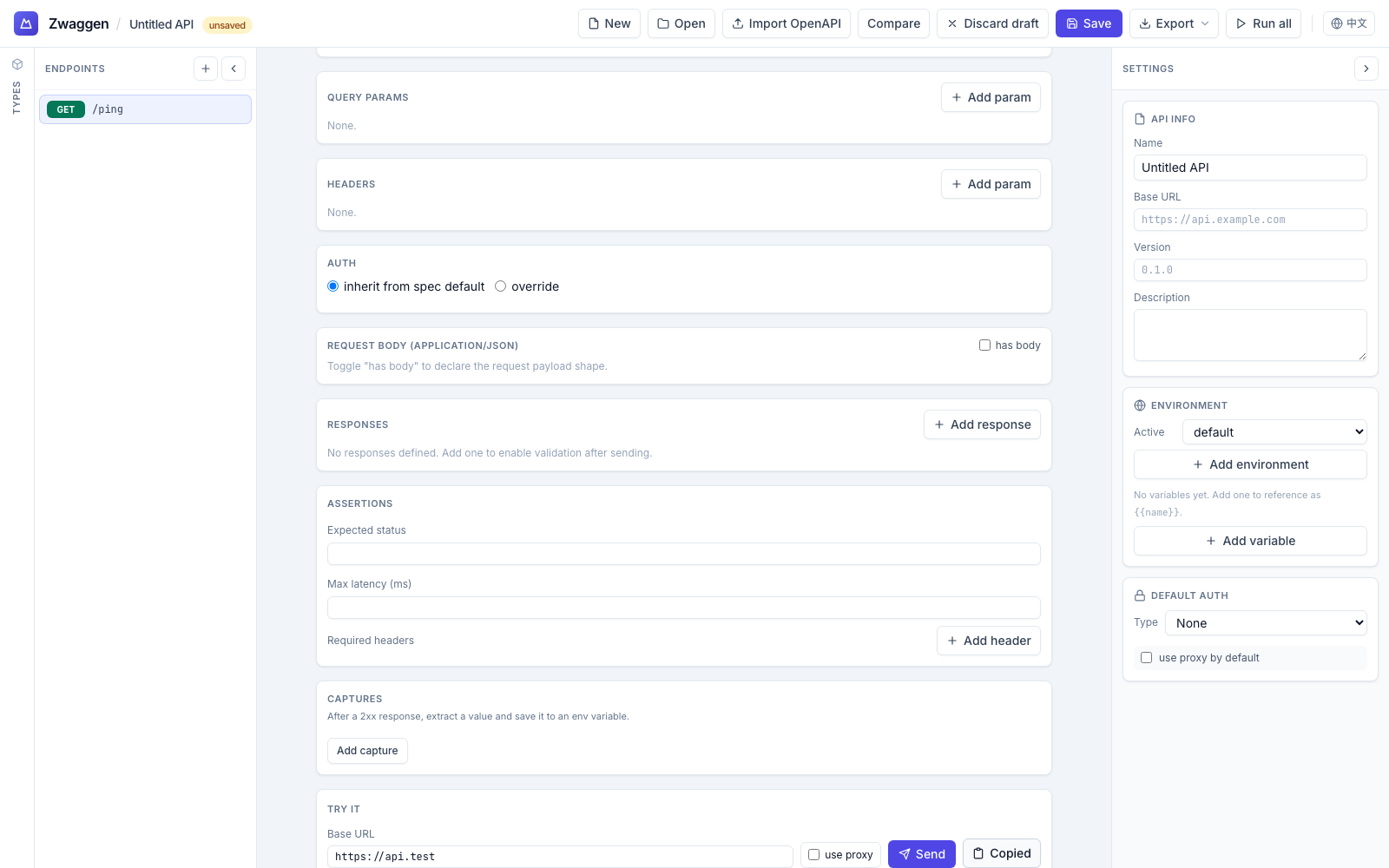
From the Run panel:
- After a run, click Copy as cURL above the Response body.
- The clipboard gets a one-liner suitable for paste into any shell.
From the endpoint list:
- Right-click an endpoint → Copy as cURL. This uses the current values in the Run panel (URL, headers, body).
What gets resolved
- Environment variables (
{{env.foo}}) — resolved to the active environment's values. Captured tokens also live in env vars, so they're baked in too. - Auth preset — baked in as the appropriate header (
Authorization: Bearer …, basic auth, or API key header/query).
A security note
The cURL includes every real value — tokens, passwords, API keys. Treat it like a credential:
- Don't paste into a public issue or Slack channel.
- Don't commit to git.
- Rotate the credential if the cURL leaked.
Typical use
- Reproduce in a shell. Run the same request outside the browser.
- Share with a teammate, after scrubbing secrets.
- Drop into a CI script as a one-off smoke test. (For fleet testing, wait for the CI-mode CLI — tracked in the repo TODO.)