Endpoints
An endpoint describes one HTTP operation and the types flowing through it.
Method and path
Methods: GET, POST, PUT, PATCH, DELETE, HEAD, OPTIONS.
Path segments starting with : auto-register as path params. Typing /users/:id/posts/:postId creates two path-param rows, each defaulting to string.
The header's 3-dot menu (top right) has Export / Duplicate / Delete. Export opens the per-endpoint export popover.
Parameters
Three rows in the editor:
- Path params — a list of
ParamDef { name, required, type, description? }, auto-created from the path; type them asstring,integer, etc. - Query params — a single object (inline or a
refto a named object type), or absent for "no query params". - Header params — same shape as query params: a single object, inline or by ref.
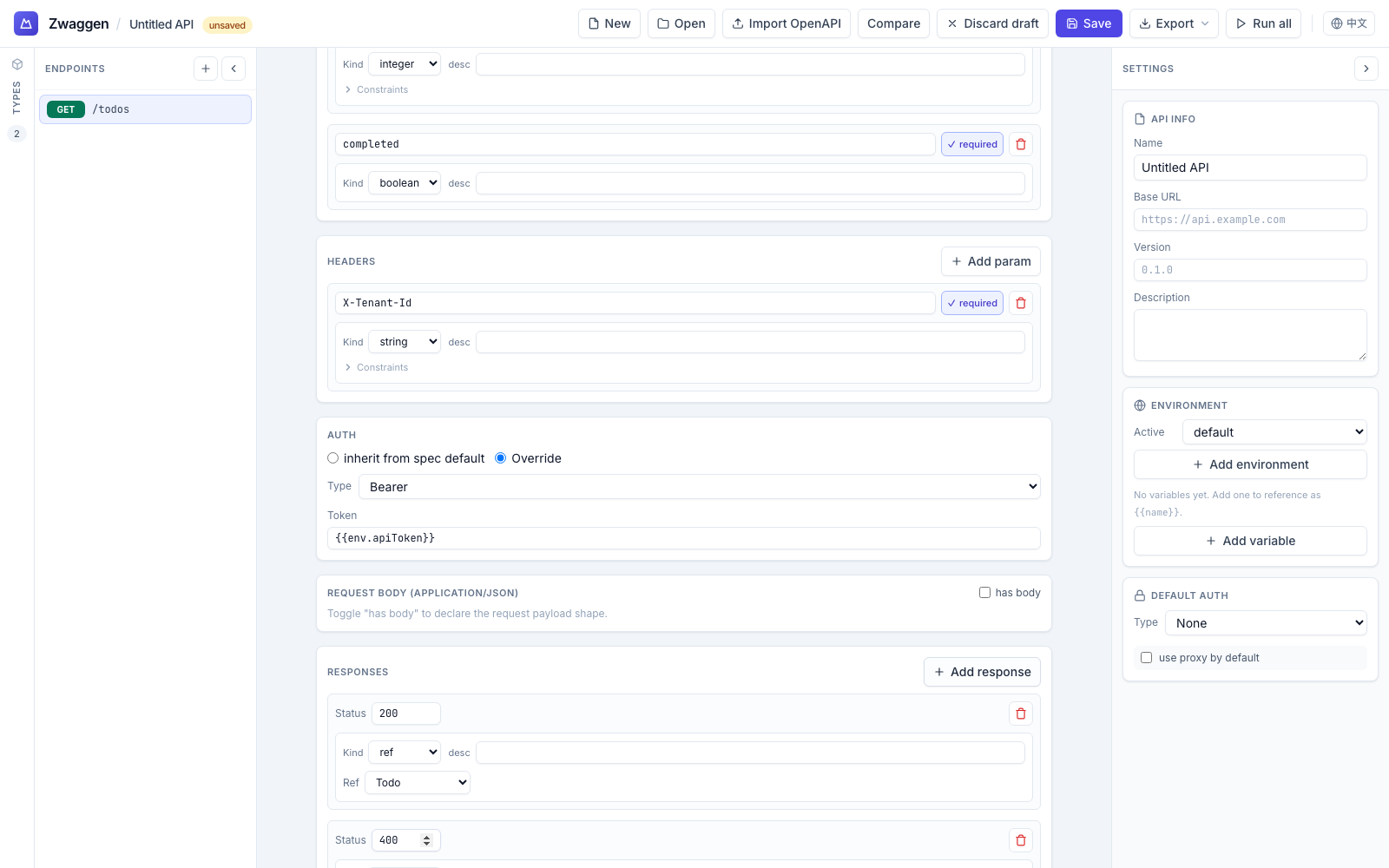
Query and header params are an object. Each endpoint's queryParams and headers is either an inline object (define fields directly in the editor) or a ref to a named object type (so multiple endpoints can share, e.g., PaginationQuery = { page; limit }). Each field becomes one query string key (?page=1&limit=20) or one header on the wire — matching OpenAPI 3's default style=form, explode=true. Toggle the editor between None / Inline fields / Use shared type at the top of each section.
Path params remain a positional list — they're tied to {name} placeholders in the URL template, so per-name positional ordering matters.
Request body
Optional. Choose one of three content types in the editor's Body type dropdown:
- JSON (
application/json) — the body is aTypeDef, usually arefto a named object. The Run panel shows a JSON textarea pre-filled from the type'sexampleif present (see Type Builder). - URL-encoded form (
application/x-www-form-urlencoded) — the body is a flat list of fields (name, type, required). The Run panel shows key/value rows. The runner serializes viaURLSearchParamsand setsContent-Type: application/x-www-form-urlencoded. - Multipart form (
multipart/form-data) — same shape as URL-encoded, but the runner builds aFormDataand letsfetch()set the boundary inContent-Type. v1 supports text fields only; file upload lands in a follow-up.
Switching body type clears the unused field shape (the JSON TypeDef and the form fields are kept separate to avoid lossy conversion).
Responses
Keyed by status code. A typical REST endpoint defines 200, 400, 404. Each response has a type — the body shape the server promises for that status. The runtime validator picks the response type matching the actual status received and validates the body against it. If no response is defined for that status, validation is skipped (and the Run panel surfaces an "unspecified status" warning).
Auth
Four presets:
- None — the request goes out unchanged.
- Bearer — an
Authorization: Bearer <token>header. - Basic — standard HTTP Basic (
username:passwordbase64-encoded). - API key — header or query parameter with a configurable name and value.
The preset is set per endpoint but overridden per environment: each environment carries its own auth, which wins if set. See Core Concepts.
Tags
Tags group endpoints in the sidebar. An endpoint can carry multiple tags. A sidebar with users, orders, and auth tags collapses the endpoint list into three clickable sections. Type a new tag to create it; the tag index is computed, not separately stored.
Folder
Endpoints can also be placed in a nested folder path (orthogonal to tags). The editor has a Folder input in the metadata card — type e.g. users/admin to move the endpoint. Once any endpoint has a folder set, the sidebar switches from tag groups to a folder tree. See Folders for the full model.
Why we match by method + path, not id
Every endpoint has an internal id, but the id is an implementation detail — it can change between saves. When Spec Diff compares two spec files, it matches endpoints by the pair (method, path) so that a renamed id doesn't look like a removed-then-added endpoint.